/Lawcode%20Logo%20(White).svg)
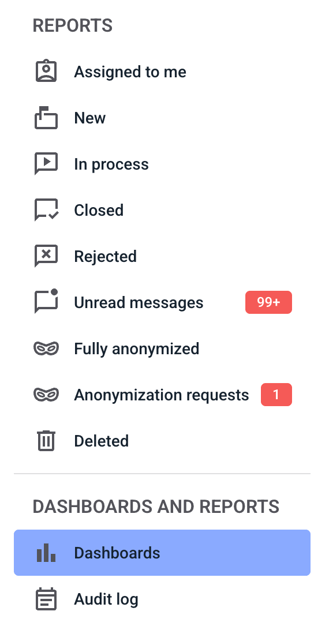
To delete a filter group, click on dashboards.
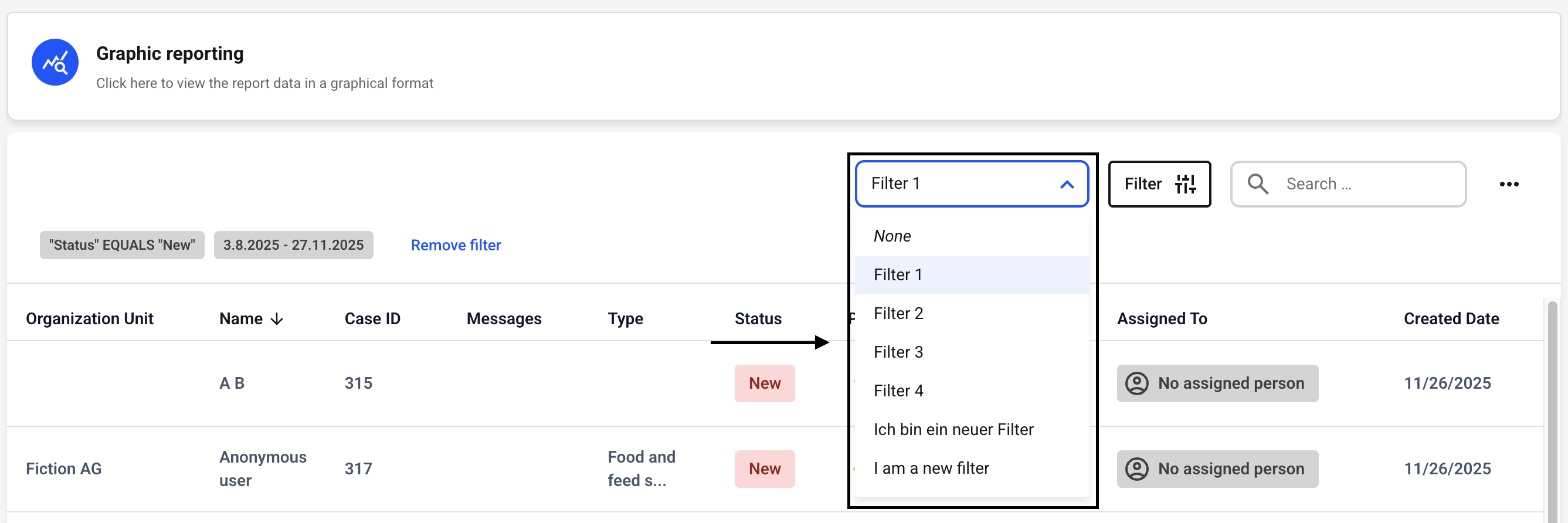
Now click on the drop-down menu next to the filter button. Select the filter group you want to delete.
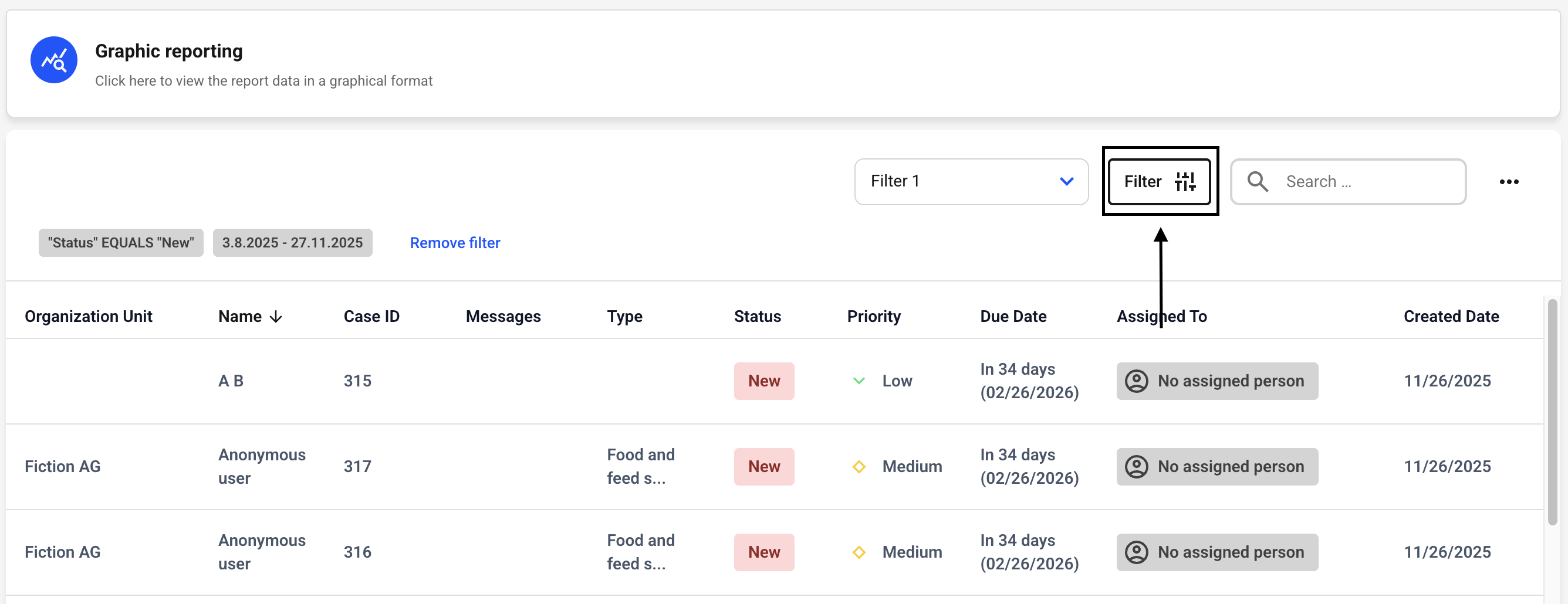
Now click on the filter button.
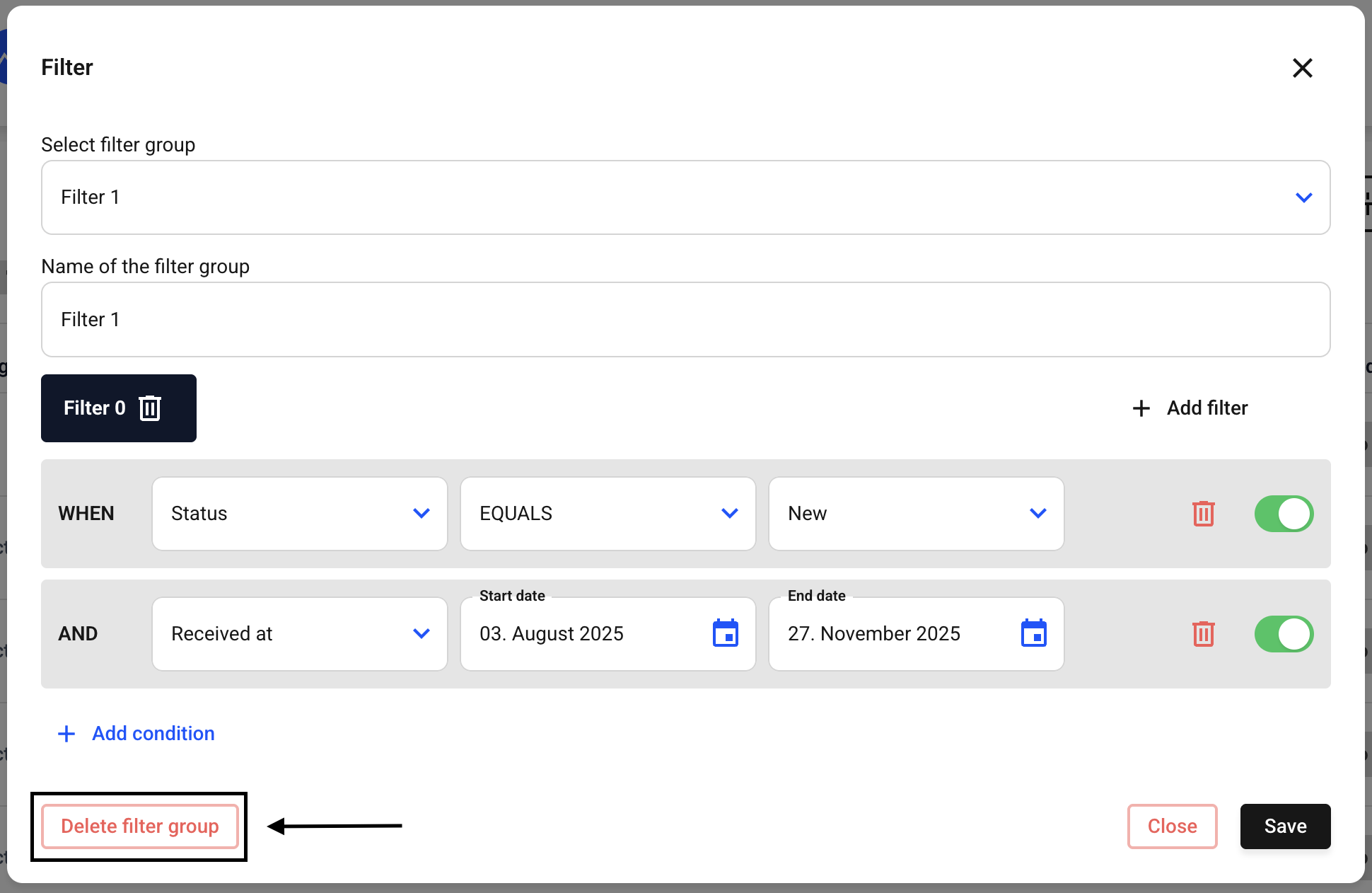
Now check that the correct filter group is selected.
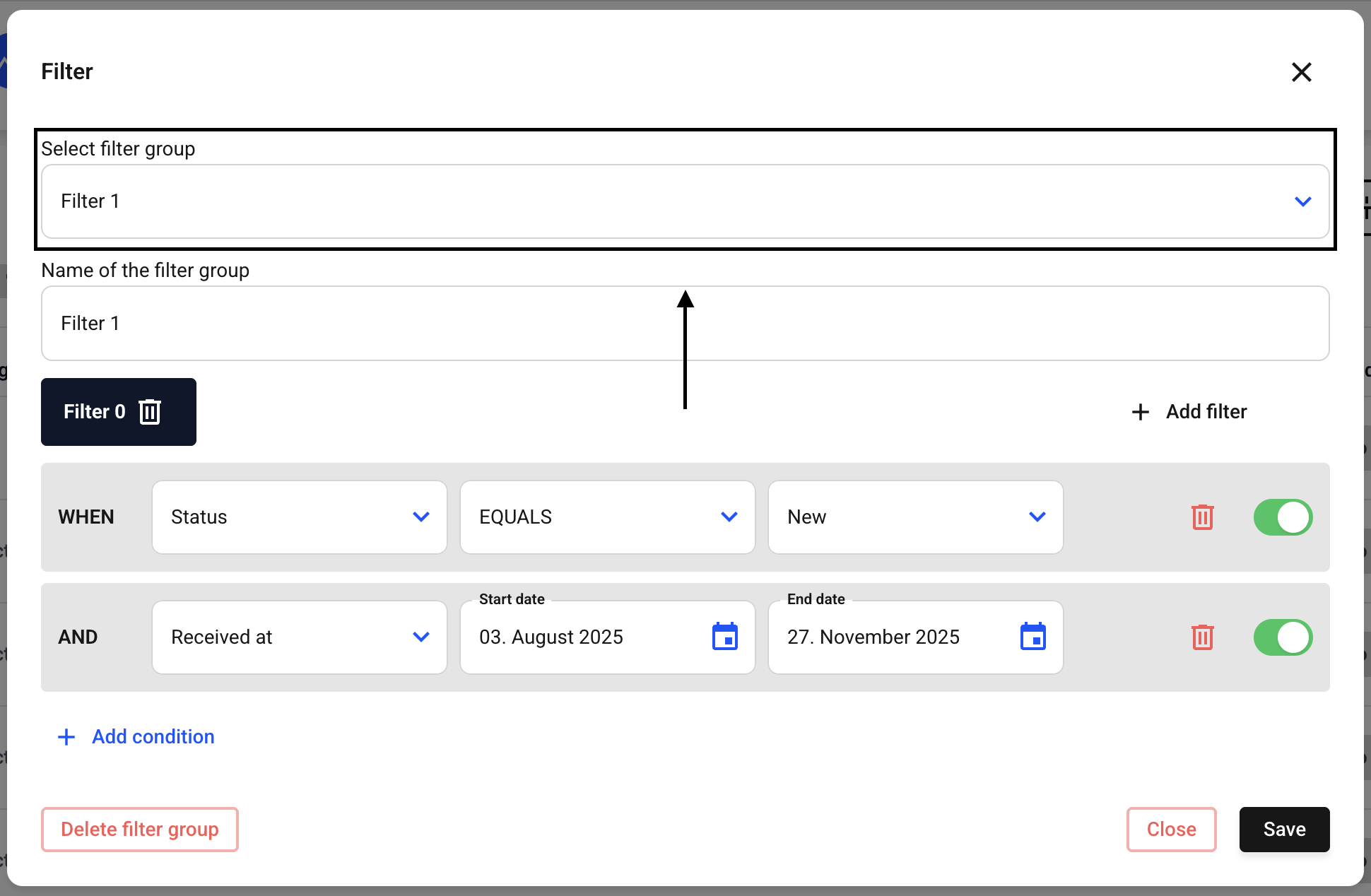
Now click on Delete filter group.
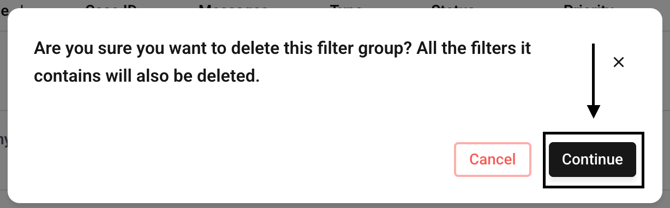
A new window will open where you must confirm the deletion. To do so, click Continue.
The filter group has been permanently deleted.