/Lawcode%20Logo%20(White).svg)
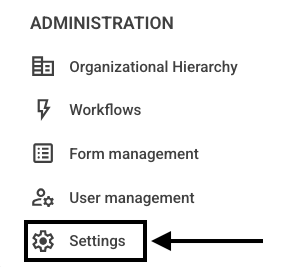
Click Settings in the navigation bar.
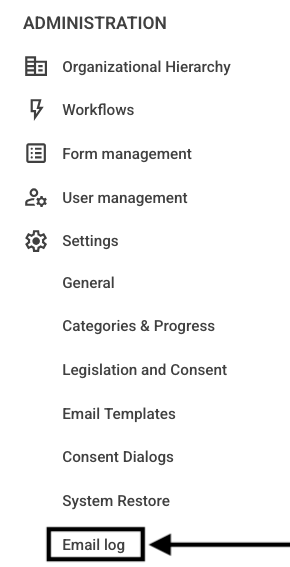
Then click on Email Log.
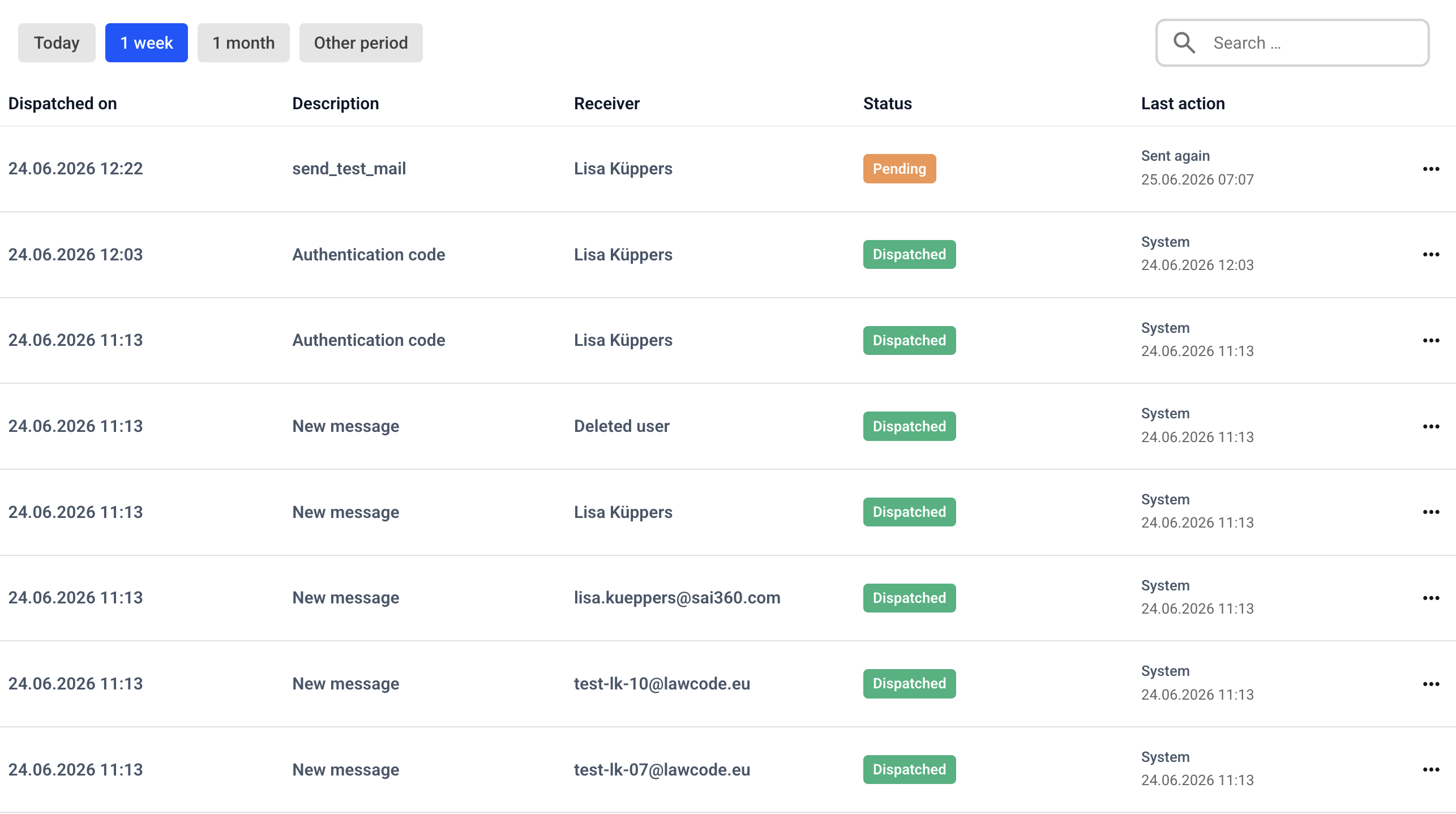
An overview opens.
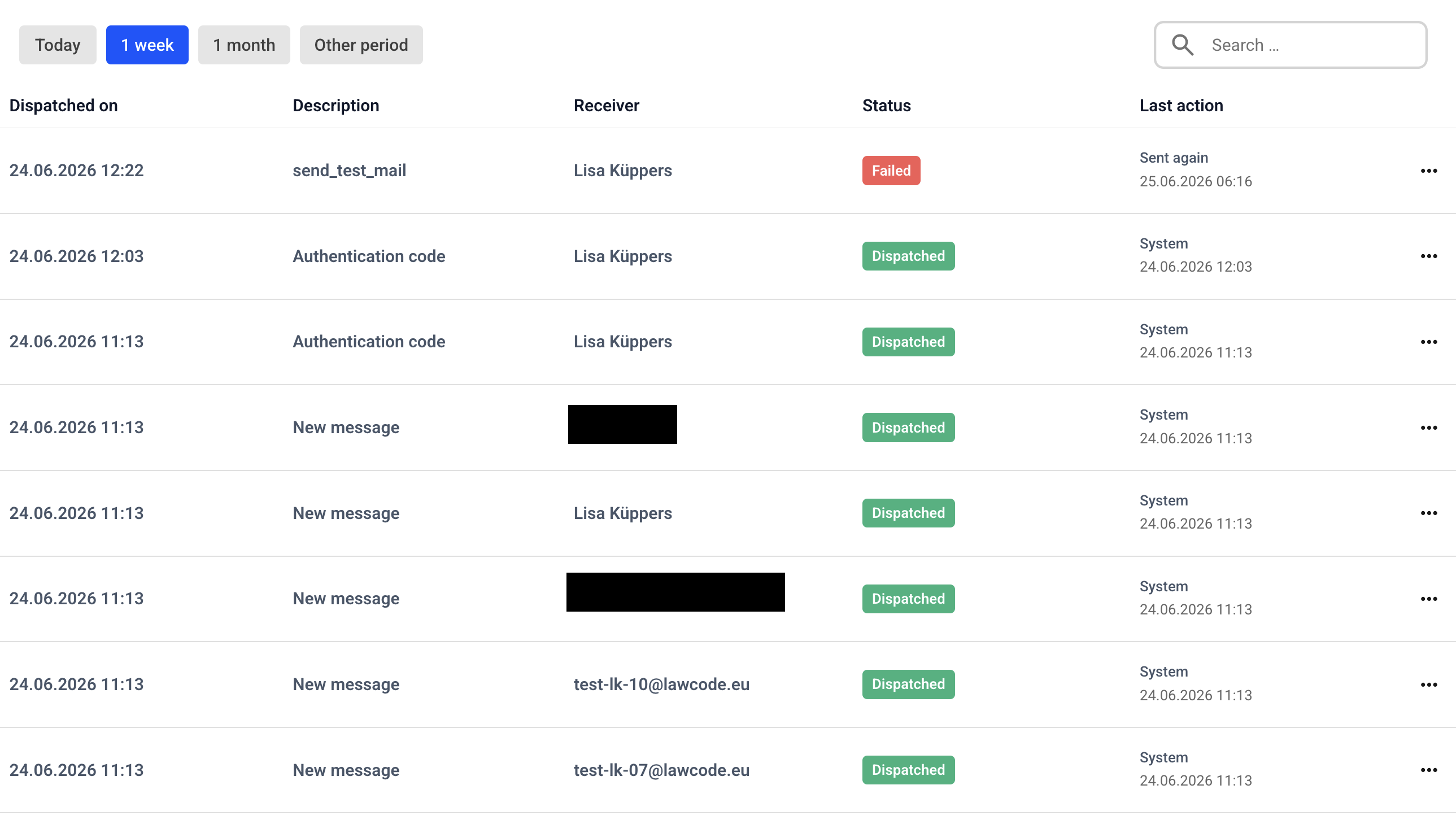
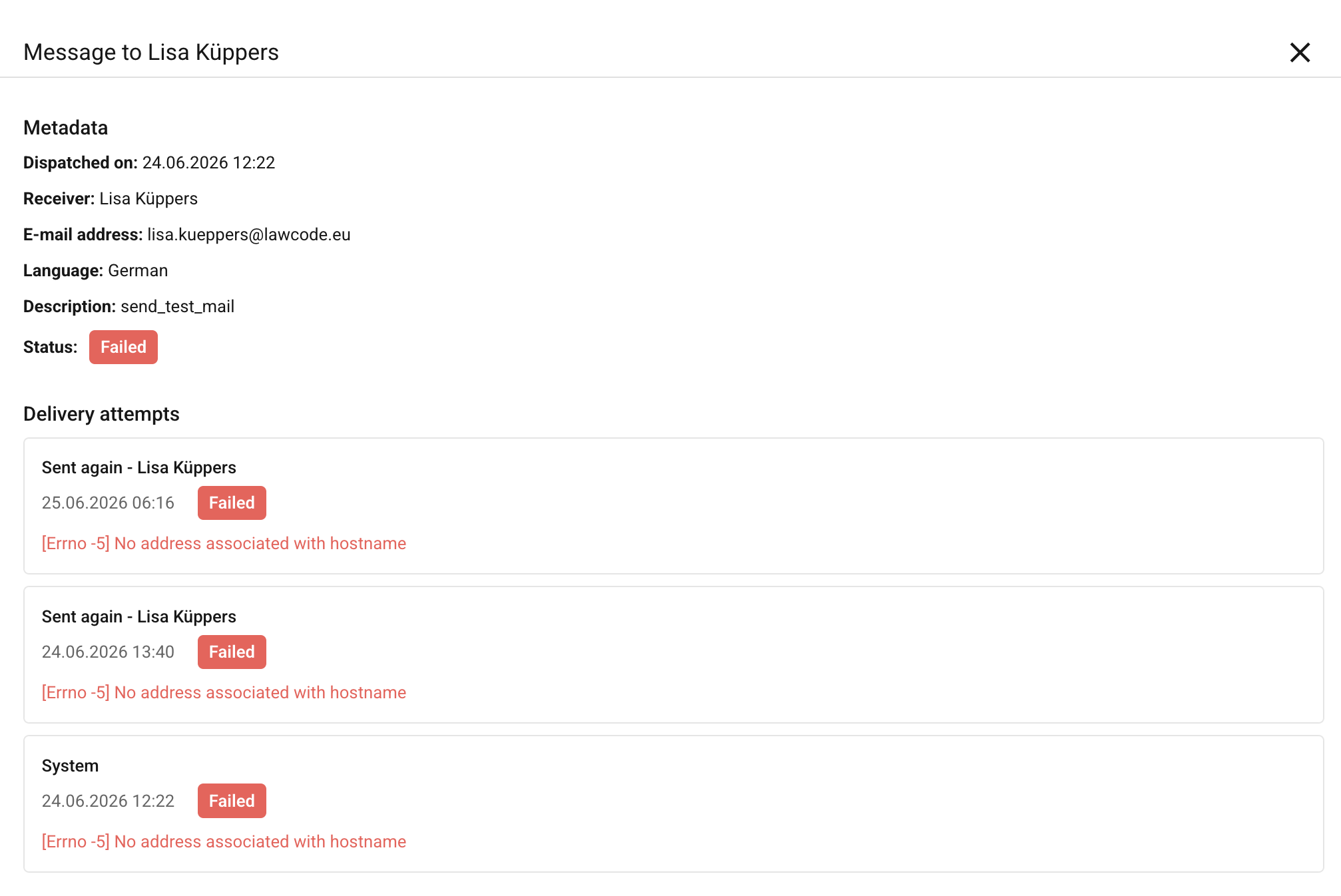
When you click on an entry, a file preview window opens with an error message.
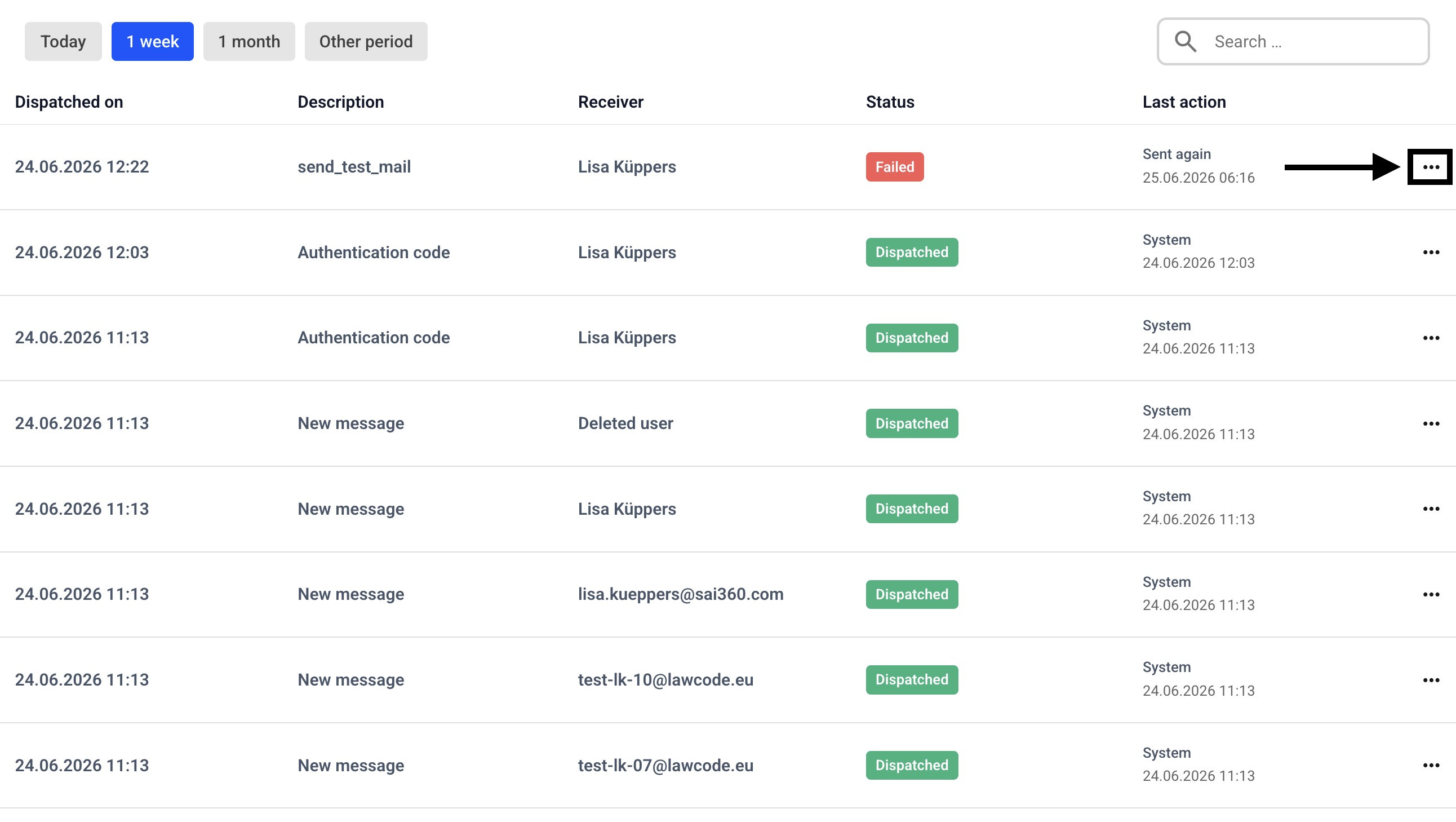
To resend the email, click the three dots.
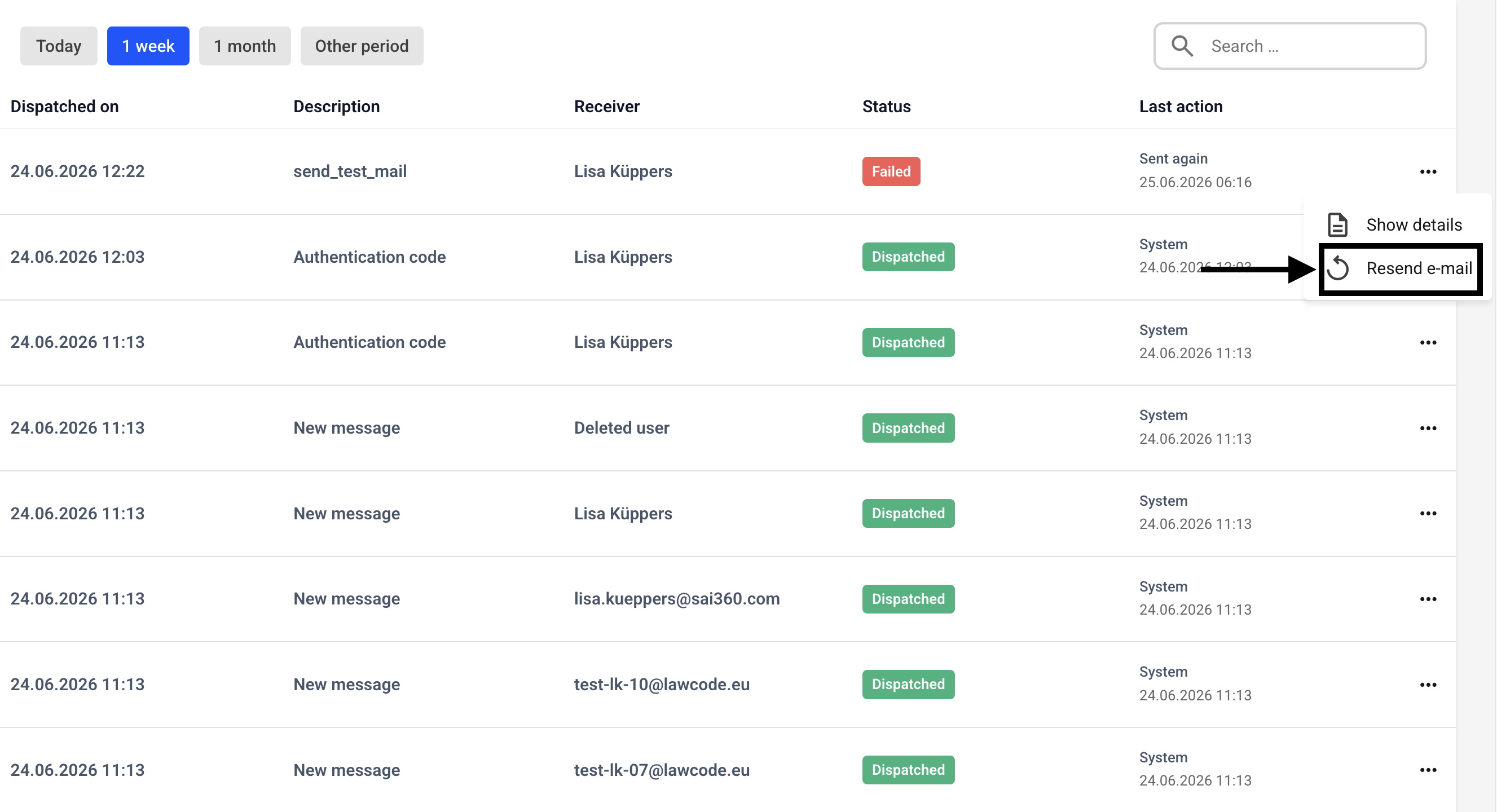
Then click Resend Email.
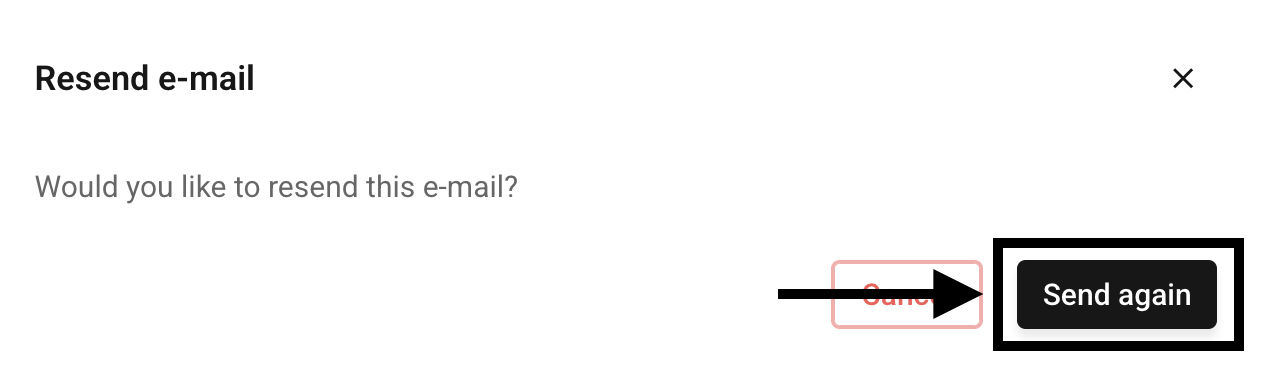
A pop-up window will open. Click Send again here.
The status will then change to pending until the email has been sent successfully or has failed again.