/Lawcode%20Logo%20(White).svg)
Under administration, click on Organizational Hierarchy to edit a client.

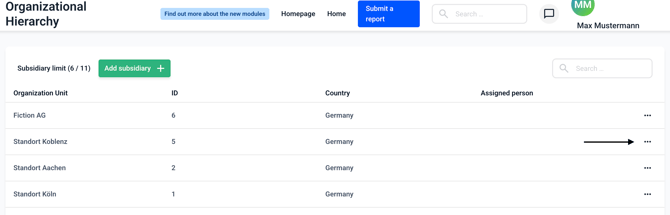
Now click on the three dots next to the client you want to edit.
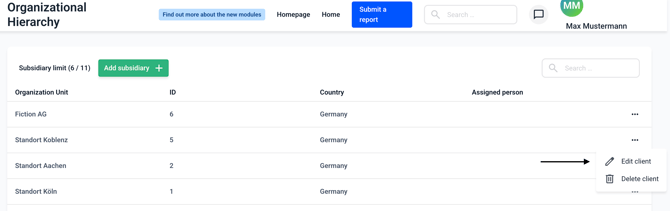
Now click on Edit client.
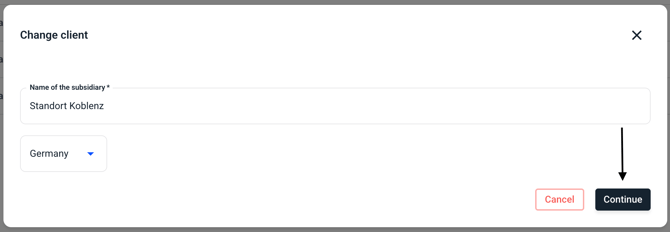
A form will open in which you can change the client's information. First, you will be asked for the subsidiary´s name and then for the country in which the client is located. Make any desired changes and confirm by clicking Continue.
In the following field, you can edit the access of the various user roles to the client.
You can also change the responsible person. Once you have made your selection, you can confirm this by clicking Continue.

On the last page of client processing, you can edit the client's contact details. Once you have changed all the data as desired, you can confirm this by clicking Save.
