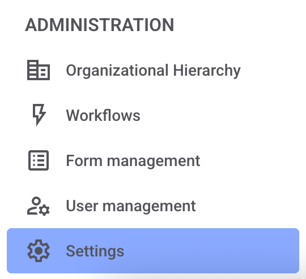
Click Settings in the administration area.
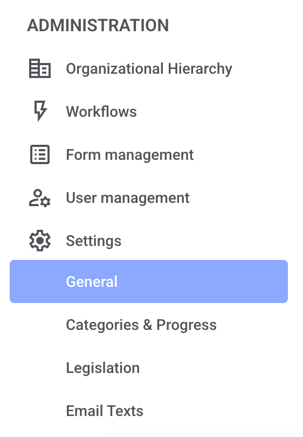
Now click on General.
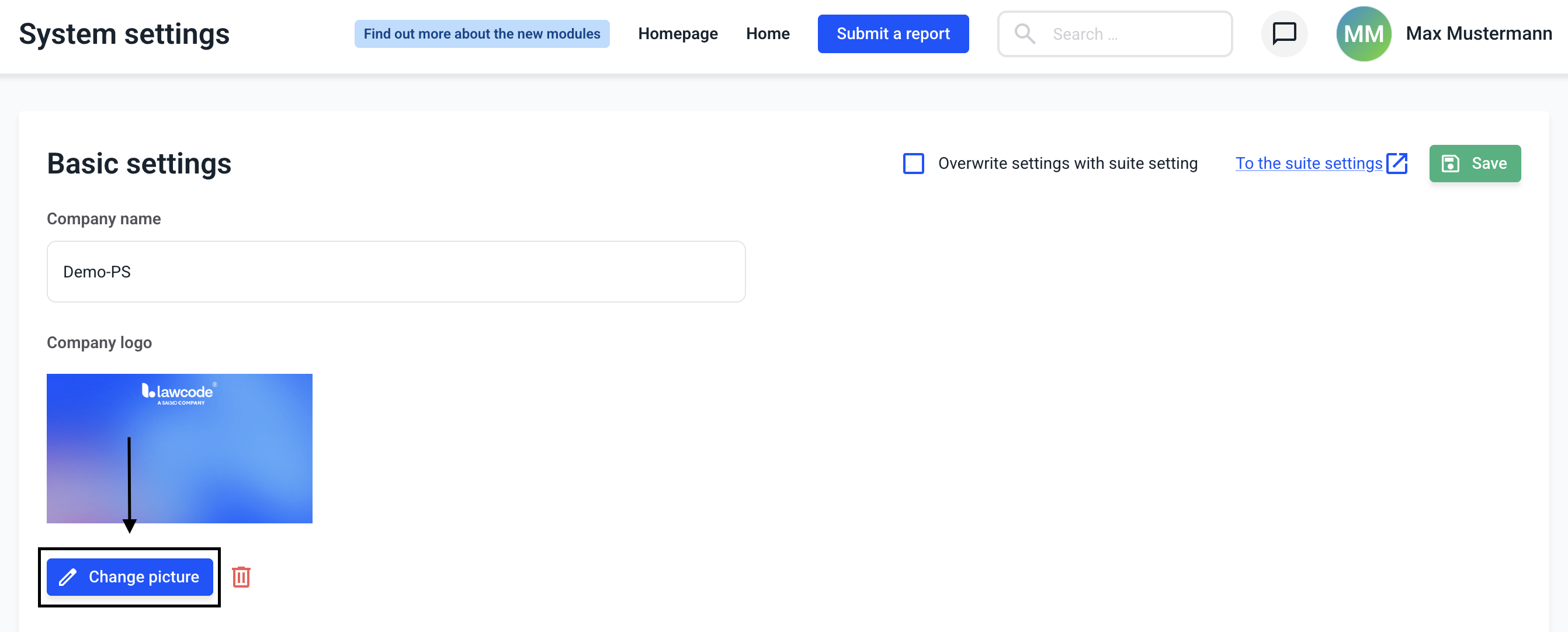
Now click on the Change picture button in this view, then you can select an image and confirm your choice.
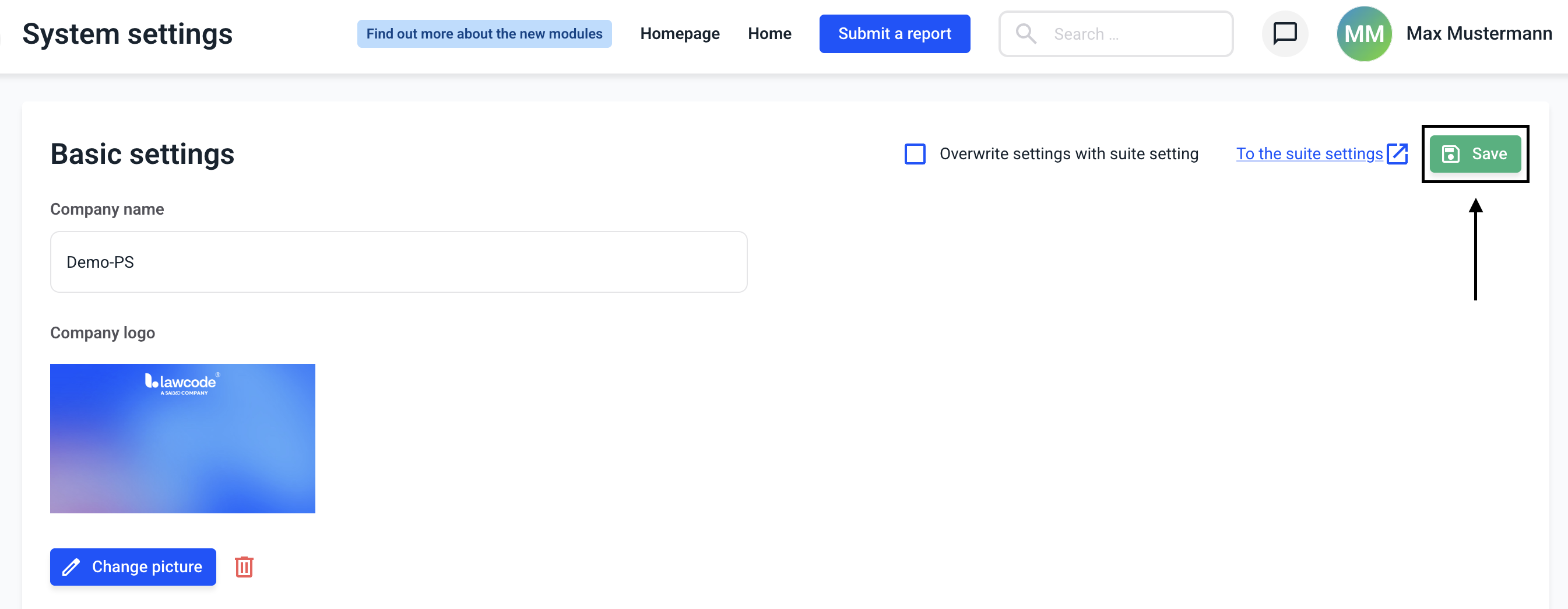
You can apply the changes by clicking the Save button.
/Lawcode%20Logo%20(White).svg)
Click Settings in the administration area.
Now click on General.
Now click on the Change picture button in this view, then you can select an image and confirm your choice.
You can apply the changes by clicking the Save button.