/Lawcode%20Logo%20(White).svg)
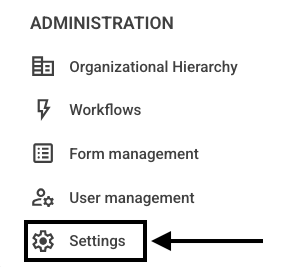
Click Settings in the navigation bar.
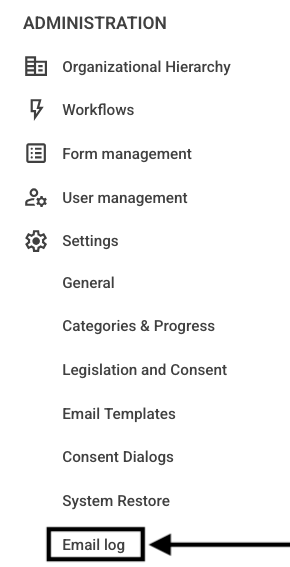
Then click on Email Log.
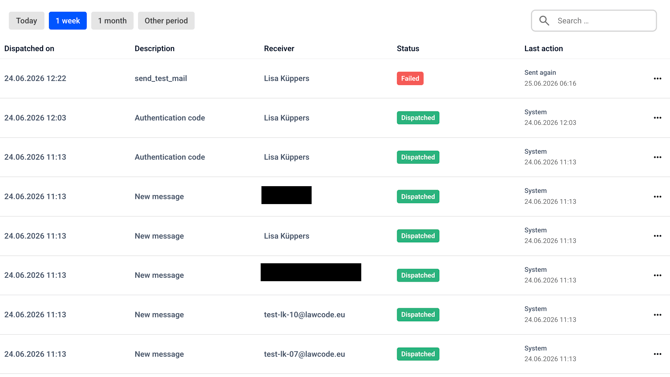
An overview will open, containing the following items:
-
There is a time filter in the top row. Clicking on a time period changes the view.
-
Dispatched on: This shows the date and time the email was sent.
-
Description: This shows the name of the email.
-
Receiver: This section contains the recipient’s information.
-
Status: This section shows the status of the email. It can be Dispatched, Failed, or Pending.
- Last action: This field shows the context in which the email was sent. For example, it might say “System” or “Workflow.”
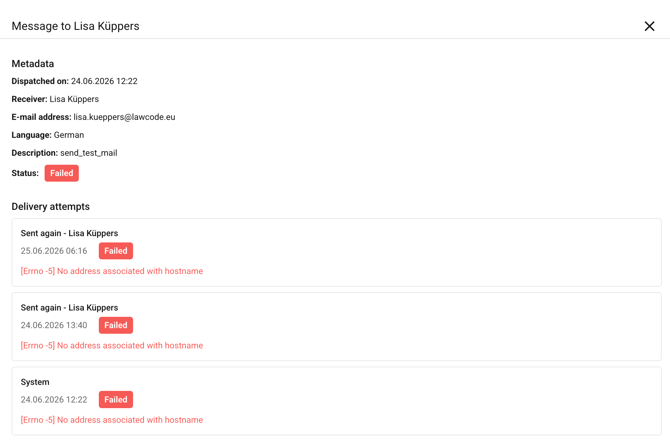
When you click on an entry, a file preview window opens with details.