/Lawcode%20Logo%20(White).svg)
In the EUDR Manager, you have the option of tracing the product's supply chain. This is displayed directly within your selected product.
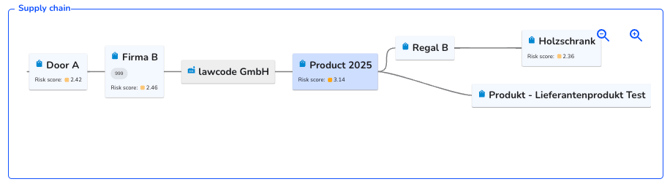
To create these links, you must fill in the “Processed products” field. Once you fill in this field and enter it for multiple products, the corresponding supply chains will be generated for the overview.
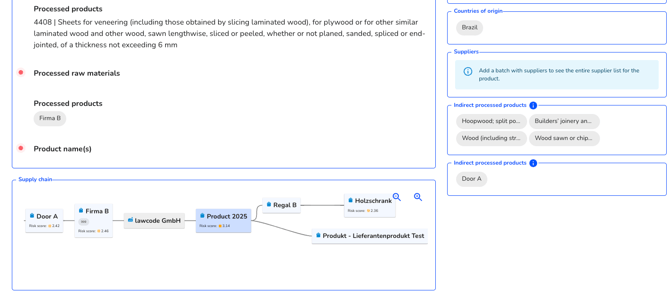
If you click on a component of the supply chain within the supply chain screen, e.g. on “Company B”, you will be forwarded directly to the appropriate data record.